SALARY CALCULATOR · QUOTATION TEAM

Put in the effort.
Keep expectations
grounded.

Your salary, monthly records and quarter overview. Together, in one place.

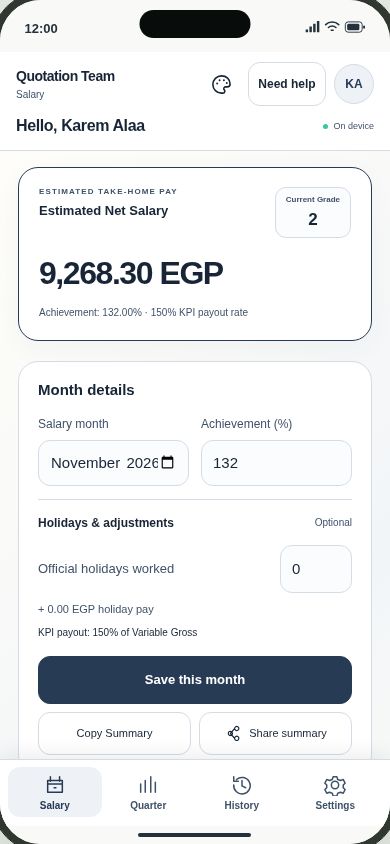
Actual Quotation Team mobile interface preview
From the app · iPhone layout preview
01Net salarySee your salary breakdown
02Monthly recordsKeep your months together
03Quarter overviewTrack achievement and targets
Prefer the Home Screen web app?

Choose your device, follow its installation steps, then open the new icon and sign in.

Install web app
ON YOUR DEVICE

Choose your version.

Use the same email to find your synced records.

Android FOR THE TEAM

Android 7+ · APK

Install Android web app instead
Installation help

Download the APK, open it from Downloads and allow installation from this source if your phone asks.

Keep Google Play Protect enabled and allow its security scan. If installation is blocked, contact Karem Alaa.

iPhone / iPad WEB APP

Install from Safari. No App Store needed.

How installation works
  1. Tap Install on iPhone and open the page in Safari.
  2. Tap Share, then Add to Home Screen. Enable Open as Web App if offered, then tap Add.
  3. Open the new icon and sign in with your email.

A Home Screen web app with your salary tools. Independent phone-PIN or biometric App Lock requires the native iOS app.

Native iOS — technical test only

This IPA is unsigned. Downloading it does not install the app. Personal signing needs a computer and your own Apple Account. Free signing expires after 7 days.

Signing and installation guide ↗